Mileage logs
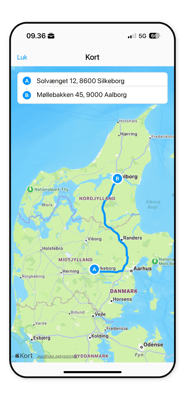
Automatically record your mileage in the app with a GPS tracker. The logbook captures the start, stop and distance of your trips. You only need to add purpose and trip type.
Expense management
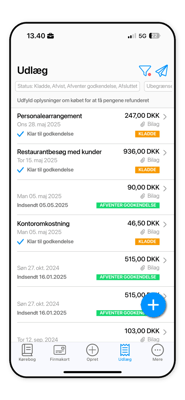
Use the app to take pictures of your receipts. Data and amounts are read automatically.
Simply add a note and save.
Export and integration
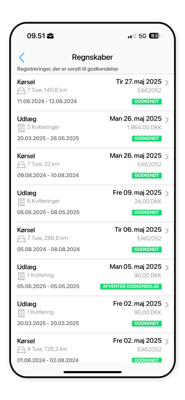
Complete overview of your mileage and expense reports. Sort trips and export to PDF or CSV. Then transfer them to your payroll or accounting system.
Perfect for entrepreneurs and sole proprietorships
Craftsmen
"I use Mileage Book to register my trips to and from customers. It's nice for me to get in the car and know that the trip is registered automatically. I don't have to think about it. The system is easy, simple and good. And that's what I need."
Photographers
"I found that a Premium subscription suited my needs well. When it comes to invoicing, it's important for me to be able to accurately document my driving to customers - and I can do that easily with Milegae Book."
Window cleaners
"I save a lot of time by not having to register driving all the time - especially when I have so many trips every single day. It means I can spend more time on my real work and maybe even take on an extra job. It's really smart."
Cleaning companies
"It's very easy to retrieve data and it's easily sent to the accounts. It's also nice that I don't have to be aware of when I've driven 20,000 km. The system keeps track of that completely automatically and it's really smart."
Driving schools
As a self-employed driving instructor, you're in constant motion. Between teaching theory, scheduling driving lessons and maintaining the car, you need to keep the books running. Keep it simple so you can spend your time in the car - where you earn your money.
Make your mileage logbook fully automated with Premium
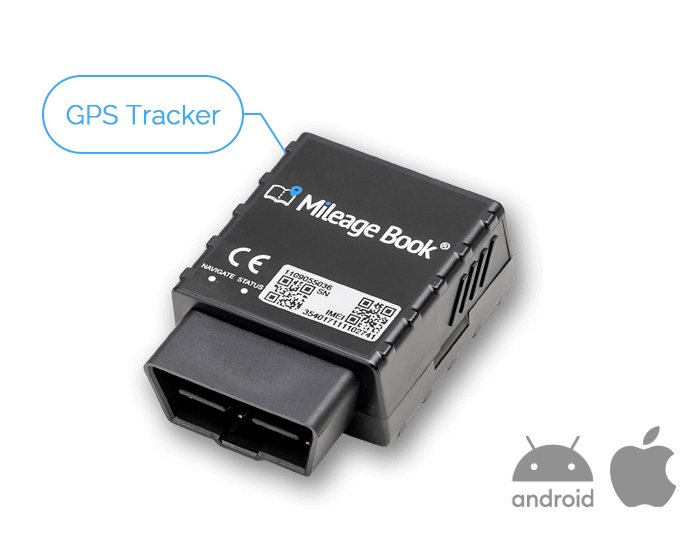
A GPS tracker is included with the Premium subscription. It gives you unlimited and fully automatic recording of your trips.
You don't have to worry about Bluetooth connectivity or state of charge on your phone. In fact, you don't even need to have your phone with you.
The GPS unit is easily installed in your car's OBD socket.
-
Is Mileage Book's logbook approved by the tax authorities
No systems are approved by tax authorities. But we are fully compliant with the Danish Tax agency's requirements for a logbook.
-
How do I register expenses and save receipts?
Simply take a picture with the app, add your comments and save.
-
What happens to my data if I start with Free and upgrade later?
Of course, you still have access. The trips are linked to your account.
-
Does Mileage Book work on both web and app?
Yes. You can set many more details on your web portal than in the app. In contrast, in the app you can easily and quickly register trips.
-
Can I connect multiple trips?
Yes, we call it merging trips together. You can see how to do it here.
-
What should I do after a trip?
You can quickly and easily edit your trips via app and web. Here you can sort your trips, add purposes and notes.
-
What options do I have for integration?
Mileage Book integrates with several systems. You can see the full list here.
-
How do I register my financial statements?
You can do this continuously or one pool at a time by entering trips you have already driven in the past.
When you need to calculate your mileage, you can do so by exporting all trips in a file from Mileage Book or by transferring it to your accounting system.
-
Does Mileage Book automatically send it to the relevant tax agency?
Unfortunately, we can't do that, but we can count all your kilometers and compare them against the government's reimbursement rates so you can see how much money you can expect.
-
Do all trips have to created manually?
No, we actually have three options for recording trips. Either by registering trips automatically by renting a GPS tracker to put in the car. It is also possible to press start and stop in the app and use the phone's GPS to register the distance of the trip.
Of course, you can also create your trips yourself if you have a trip that you have driven but forgot to register earlier. -
Where can I get help to get started
Mileage Book support is free and open every day of the week.
It is also possible to get help 24/7 in our online help center.
Do you have greater needs?
Are you looking for a business solution for a larger number of employees or a fleet of cars? Then Mileage Book Business is the answer.
Here you can manage employee mileage accounting, expenses and time tracking.
This gives you a flexible solution tailored to your workflows, with full integration options for ERP, accounting, payroll and project management.
- Less administrative work
- Fewer errors and omissions
- Easy integration with existing systems
- Documentation according to tax agency requirements
- Increased efficiency
- Streamlined workflows